Technology for learning, used safely and responsibly.
Information for students and families about college ICT resources and Bring Your Own Technology devices.
Responsible use of Hellyer College Information and Communication Technologies (ICT) Resources
As part of the curriculum for all students, Hellyer College provides access to Information and Communication Technology (ICT) resources.
ICT resources include but are not limited to the use of: computers, laptops, tablets and printers; the college and Department for Education, Children and Young People (DECYP) networks; the Internet; email; digital/video cameras; electronic storage devices; mobile phones, etc. These technologies are used within the college for research, communicating with other people, publishing students' work and learning basic skills. While teachers strive to ensure that high-quality on-line materials are available and promoted, it is possible that students may encounter inappropriate material while using these resources. The college minimizes this risk by providing Internet filters and educating students to participate safely and responsibly when online.
The college, in conjunction with DECYP, has developed rules for safe and responsible use of ICT resources, and all students work to these rules. An Acceptable Use Agreement will be discussed with each student when enrolling, to be signed by themselves and a parent / guardian.
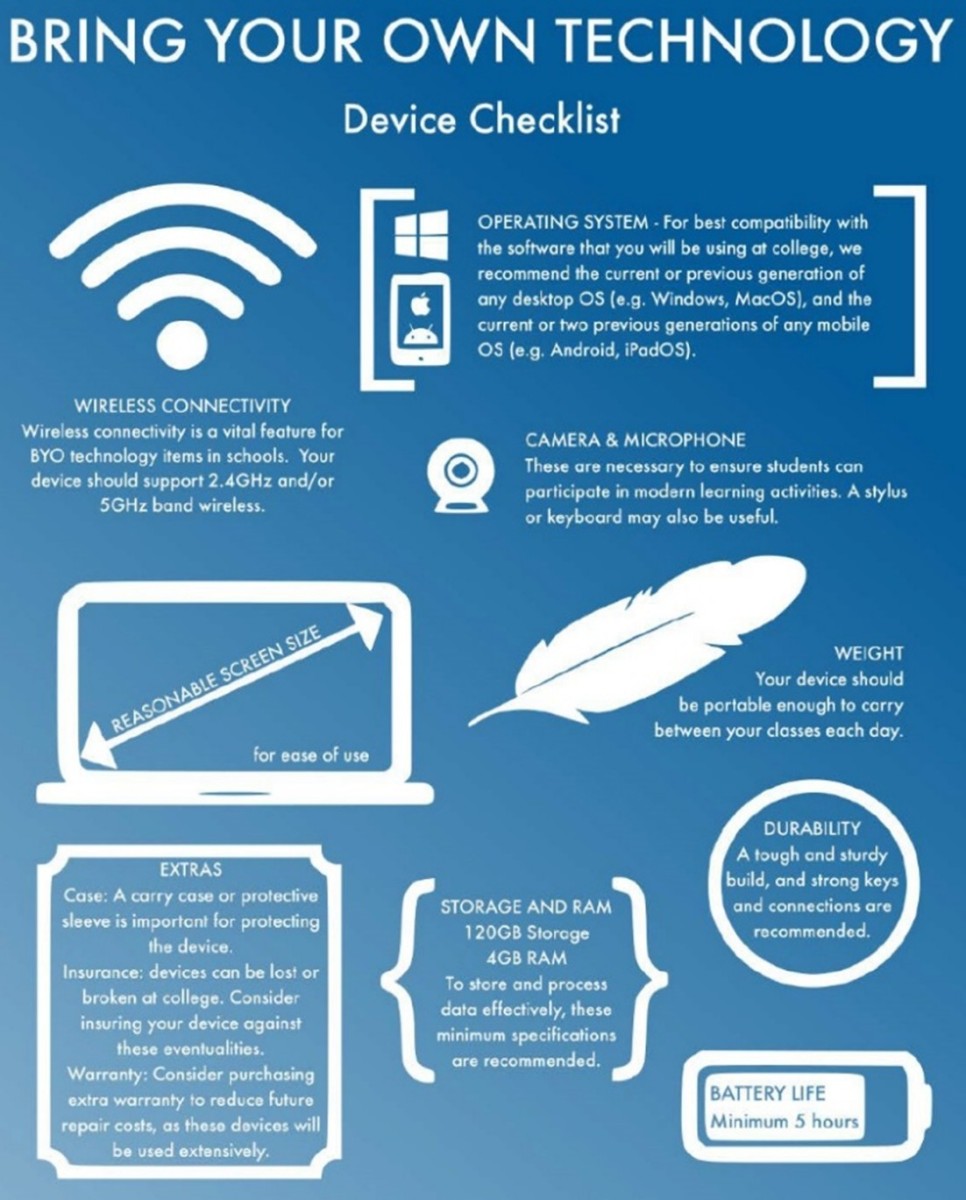
There is no list of mandatory or preferred BYOT (Bring Your Own Technology) devices, but students and parents may consider the following information when deciding which type of device may be the most appropriate for the subjects to be studied.
Hellyer College teachers are currently supplied laptops or tablets that are loaded with a standard software suite which includes Windows 11, Microsoft 365, and Microsoft Edge, and whilst they will do their best to help students work with their chosen devices, their experience with systems other than this may be limited.
Students intending to use graphics-intensive software, such as those used in digital arts or computer graphics subjects, may need to consider higher-than-average device specifications, under advisement from their chosen retailer. High-speed desktop computers will continue to be available in these areas.
ICT Support for BYOT Devices
ECYP managed devices will have full support of local ICT support staff. For BYOT devices, staff will provide assistance for DECYP guest wireless connection issues only. The following general information may assist students in accessing the wireless network:
Wireless Details
- Wireless Network (SSID): DoE_Student
- Username: Your education network username, e.g. firstname.lastname.00
- Password: The password you use to log in to the computer network
- Wireless Authentication: WPA2 Enterprise
- Inner Authentication: MSCHAPV2
- CA Certificate: None / Do Not Check / Do Not Validate
Things to remember:
- The main use for any device while at college, including BYOT, is for educational purposes
- It is not compulsory for students to bring their own device
- Those who opt not to participate in BYOT will still have access to college owned laptops, tablets, desktop PC's, etc. while in class, with a limited number of devices and Internet hot spots available for short-term, take-home loan from the library.
- Students are responsible for ensuring the safety of any electronic devices at all times, whether they are on loan or carried by them into the college
- Students will have access to a variety of programs to install on BYOT devices at no cost, including Microsoft Office. However, there are some specialised, optional programs that Hellyer College can only make available on college owned devices, due to licensing restrictions
- BYOT devices have access to filtered Internet and DECYP web-based resources. Network drives and printers, which are both subject to quotas, are only accessible on college owned devices